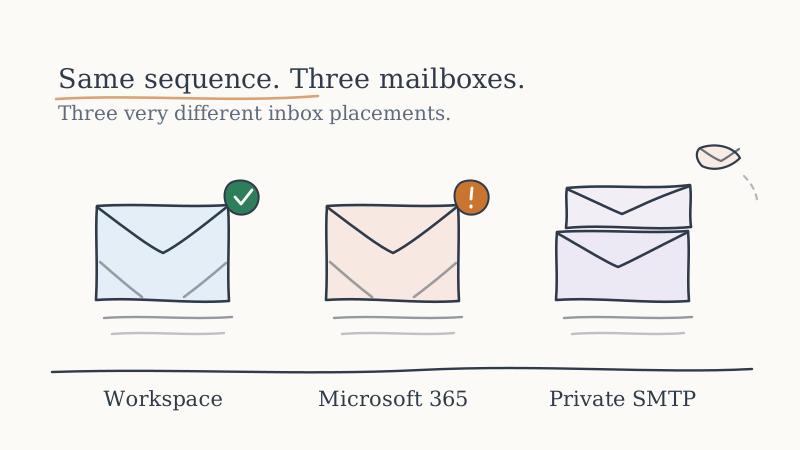
If your reply rate looks fine on some accounts and mysteriously collapses on others, pull the domains apart by email provider. There is a good chance the ones going quiet are hosted on Microsoft 365. Nearly every piece of deliverability advice on the internet is written with Gmail in mind, because Gmail is easy to observe and reasonably forgiving. Microsoft is neither. It filters on different signals, it punishes new senders harder, and it gives you almost no telemetry to work with. A cold email program that is healthy at Gmail can be quietly dead at every Outlook and Microsoft 365 inbox on your list, and nothing on your dashboard will tell you.
For B2B outbound this is not a niche problem. A large share of mid-market and enterprise companies run their mail on Microsoft, which means a large share of the buyers you actually want to reach sit behind Microsoft’s filter. If you cannot land there, you cannot sell to them. This post is about why Microsoft is different and what you do about it.
Why Microsoft filters nothing like Gmail
Gmail leans heavily on engagement. It watches whether recipients open, reply, and move your mail out of Promotions, and it adjusts placement based on that behavior over time. It is a reputation system that gives a new sender room to earn trust through good engagement.
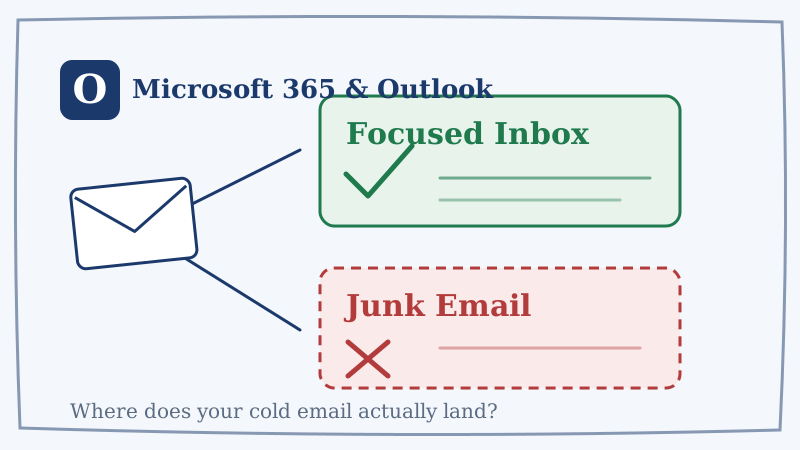
Microsoft’s filtering stack, which covers both consumer Outlook.com and business Microsoft 365 tenants, weights things differently. It leans much harder on sender reputation, IP and domain history, authentication, and content pattern matching, and it is far more willing to make a hard filtering decision early with little data. Where Gmail might drop a borderline sender into Promotions and watch, Microsoft is comfortable routing you straight to Junk or silently dropping the message before it reaches the mailbox at all. There is no soft Promotions tab to cushion the landing.
The practical consequence is that the tactics that rescue a struggling Gmail sender, driving opens and replies to rebuild engagement, do very little for a Microsoft reputation problem. You are being judged on a different rubric, and you have to play to that rubric specifically.
The visibility problem: you are flying blind
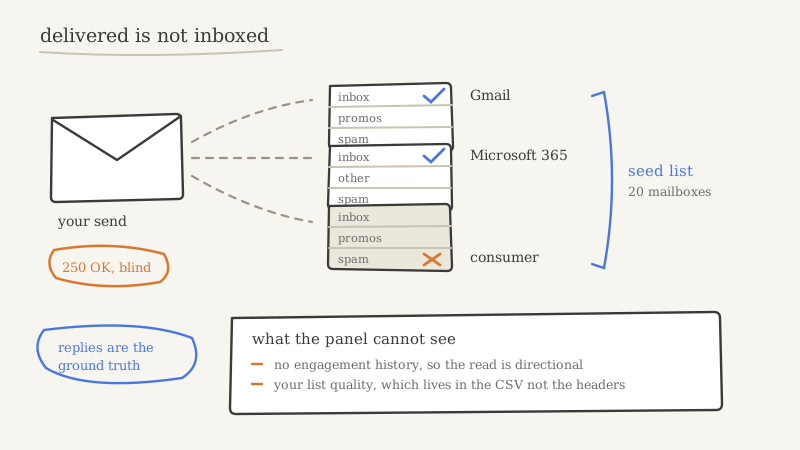
Gmail gives you Google Postmaster Tools, which shows domain reputation, spam rate, and authentication results as an actual dashboard. Microsoft gives you nothing comparable for placement. Their two feedback programs, SNDS (Smart Network Data Services) and JMRP (Junk Mail Reporting Program), are IP-based tools built for high-volume senders who own their sending IPs. If you send cold outbound through Microsoft 365 mailboxes, you are on shared Microsoft infrastructure and those tools tell you almost nothing about your specific domain’s placement.
So the first hard truth about Microsoft deliverability is that you cannot rely on the provider to tell you when you are in trouble. You have to build your own visibility. That means running seed inboxes on Microsoft 365 and Outlook.com that you check on a schedule, and treating a slip from inbox to Junk on those seeds as the leading indicator it is. If you wait for your reply rate to crater before you react, you have already burned weeks of sending into the Junk folder.
Authentication is non-negotiable, and Microsoft checks it strictly
Every deliverability guide tells you to set up SPF, DKIM, and DMARC. At Gmail, imperfect authentication often still lands. At Microsoft, weak or misaligned authentication is one of the fastest routes to the Junk folder.
Get all three genuinely correct, not just present:
- SPF must pass and must not exceed the ten DNS lookup limit, a ceiling that quietly breaks SPF for teams stacking multiple sending tools on one domain.
- DKIM must be signing and aligned to your from domain, not the default provider signature.
- DMARC should be published and, once you have confirmed your legitimate mail passes, moved off
p=noneto a real policy. Microsoft increasingly treats a strong DMARC posture as a trust signal, and it protects your domain from being spoofed by others, which drags down reputation you did not even generate.
If you run outbound across many domains and inboxes, keeping authentication correct on all of them is not a one-time setup task, it is ongoing operational work. This is one of the reasons teams hand the sending infrastructure to an outsourced GTM partner like Vendisys that maintains authentication, warmup, and reputation across the whole domain fleet as its actual job, rather than trying to keep dozens of DNS records correct in-house.
List quality hits Microsoft twice as hard
At any provider, emailing bad addresses hurts you. At Microsoft, it hurts faster and deeper, because Microsoft treats hitting its spam traps and generating invalid-recipient bounces as strong negative reputation signals, and it applies filtering at the tenant and domain level. A run of bounces into Microsoft-hosted domains does not just waste those sends, it teaches Microsoft to distrust everything you send to that entire filtering region.
This makes verification a deliverability control, not a data-hygiene nicety, and it makes it especially important for the Microsoft slice of your list. The catch is that Microsoft-hosted domains are exactly where standard email verification is weakest. Many Microsoft 365 tenants are configured as catch-all or return ambiguous SMTP responses, so a basic validator marks the address “unknown” or “risky” and you either skip a real buyer or send blind and bounce. Running your list, and particularly the Microsoft-heavy portion of it, through a validation layer like Scrubby that resolves these hard-to-verify and catch-all addresses instead of guessing keeps the invalid-recipient bounces that Microsoft punishes so heavily off your send in the first place.
Volume and ramp: Microsoft wants slow and steady
New sending domains do not get a warm welcome at Microsoft. A cold domain that suddenly starts pushing dozens or hundreds of outbound emails a day looks exactly like a domain that was just registered to run a spam campaign, because operationally it is indistinguishable from one. Microsoft responds by throttling, junking, or dropping.
The defense is a genuinely gradual ramp. Start any new sending domain at a handful of sends per day, grow the volume slowly over several weeks, and keep per-inbox daily volume conservative in steady state. Consistency matters as much as the ceiling: a domain that sends a smooth, predictable daily volume reads as more legitimate to Microsoft than one that spikes on Monday and goes silent for three days. If your bottoms-up plan needs more Microsoft-landing capacity than a slow ramp can safely deliver, the answer is more warmed domains running in parallel, not more sends jammed through the ones you have.
Content patterns Microsoft is unusually sensitive to
Microsoft’s content filtering is notably aggressive about a few specific patterns that a cold email can trip without feeling remotely spammy to a human reader:
- Links, and link mismatch above all. A visible URL that points somewhere else, tracking-heavy redirect links, and raw shortened links all raise flags. Link tracking in particular, the kind many sequencers bolt on to measure clicks, can hurt you more at Microsoft than the click data is worth. For cold Microsoft sends, consider turning open and click tracking off and letting the message go out clean.
- Image-heavy or nearly all-image emails. A cold email that is mostly image with little real text is a classic spam shape. Keep cold outbound as plain, personal text.
- Attachments. Do not send them on cold outreach. Ever.
- Spam-trigger phrasing and heavy formatting. Loud subject lines, aggressive sales language, and busy HTML all push the content score in the wrong direction. Plain, specific, human copy scores better and reads better.
The through-line is that Microsoft rewards email that looks like a person wrote it to another person. The closer your cold outbound looks to a genuine one-to-one message, the easier the filter is to clear.
Build a Microsoft-specific monitoring loop
Because Microsoft will not warn you, you have to watch continuously and treat the whole thing as a system rather than a one-time setup. A workable loop looks like this:
- Seed inboxes. Maintain live Microsoft 365 and Outlook.com seed accounts and check placement on a regular cadence, not just when something already looks wrong.
- Segment your metrics by provider. Split reply and bounce rates by recipient email provider so a Microsoft-specific decline cannot hide inside a healthy blended average. A blended number is exactly where these problems go to stay invisible.
- Watch bounces into Microsoft domains like a hawk. A rising invalid-recipient rate on Microsoft-hosted domains is an early warning that your reputation is about to take damage. Pause and clean before you push more volume.
- Monitor the surrounding surface. Deliverability does not fail in isolation. If your domain lands on a blocklist or your sending setup drifts, placement follows. Keeping automated eyes on domain reputation and the infrastructure signals that feed it, with a monitoring tool like CAM watching for the changes that precede a placement drop, turns a silent Microsoft failure into an alert you can act on before the pipeline impact shows up.
The point of the loop is to convert Microsoft’s lack of transparency into your own early-warning system. You will never get a clean dashboard from Microsoft, so you build the equivalent yourself out of seeds, segmented metrics, and monitoring.
The short version
Microsoft 365 and Outlook are not Gmail with a different logo. They filter on reputation and authentication more than engagement, they punish new and sloppy senders faster, and they hand you almost no visibility while they do it. Winning there is not a trick, it is discipline: authenticate perfectly and keep it that way, verify the Microsoft-heavy part of your list so you stop bouncing into traps, ramp new domains slowly and send at consistent volume, keep your copy plain and link-light, and build your own monitoring because Microsoft will not build it for you. Do that and the buyers hiding behind Microsoft’s filter, which is a large share of the B2B market, become reachable again. Skip it and you will keep wondering why half your list never seems to reply.