Most teams plan cold outbound backwards. They pick a pipeline number, write some sequences, then start sending from whatever mailboxes they already have. A few weeks later, reply rates collapse, the domain lands in spam, and everyone blames the copy. The copy was usually fine. The problem was capacity: they tried to push more volume through a sending setup that was never built to carry it.
Scaling outbound is a capacity-planning problem before it is a creative one. Once you know your monthly send target, the number of sending domains and inboxes you need is mostly arithmetic. This post walks through that math so you can size your infrastructure before you send a single email, instead of discovering the ceiling the hard way.
Start from the daily-send limit per inbox
The whole calculation hangs on one number: how many cold emails a single mailbox can safely send per day. Mailbox providers like Google and Microsoft watch the daily volume of each individual sender, and a mailbox that suddenly blasts hundreds of cold messages looks exactly like a spammer.
For a warmed cold-outbound inbox, a safe steady-state ceiling is roughly 30 to 50 new cold emails per day. Some teams push higher on aged, well-engaged mailboxes, but treat 30 to 50 as the planning number. It keeps each sender well inside the range where providers stay comfortable, and it leaves headroom for follow-ups, which also count against the same limit.
Everything below builds on that single figure. If your real-world ceiling is different, swap your number in and the rest of the math still holds.
Turn a monthly target into a daily send rate
Work top-down from the pipeline goal.
- Meetings needed. Say you need 20 booked meetings a month.
- Replies per meeting. If roughly 1 in 4 positive replies turns into a booked meeting, you need about 80 positive replies.
- Sends per reply. At a 2 percent positive-reply rate, 80 replies require about 4,000 emails sent per month.
- Daily sends. Across ~22 working days, that is roughly 180 cold emails per day.
These conversion rates are illustrative, not promises. The point is the structure: every pipeline target reduces to a required number of emails per day. Plug in your own reply and booking rates and you get your own daily number. If you do not have reliable benchmarks yet, an outsourced GTM partner that runs this motion across many accounts can give you realistic figures to plan against instead of guesses.
Convert daily sends into inboxes and domains
Now the arithmetic gets simple.
- Inboxes needed = daily sends / per-inbox daily limit. At 180 sends per day and 40 per inbox, that is 5 inboxes (round up to be safe).
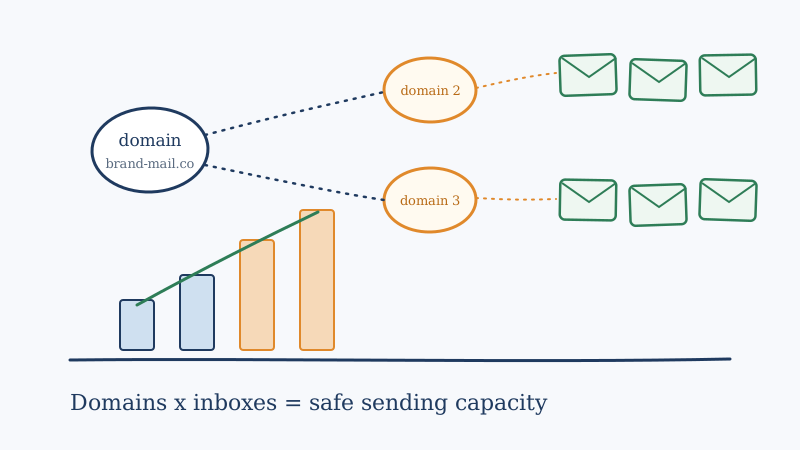
- Inboxes per domain. Keep this low. Two to three mailboxes per sending domain is the common standard, because piling many mailboxes on one domain concentrates risk and ties all of them to a single reputation.
- Domains needed = inboxes / inboxes-per-domain. Five inboxes at three per domain is 2 domains, rounded up.
So a 20-meeting-a-month program needs roughly 5 inboxes spread across 2 to 3 sending domains. Scale the target up and the structure scales with it. A program chasing 60 meetings a month is doing ~540 sends per day, which is around 14 inboxes across 5 to 6 domains.
A quick reference for planning, using a 40-per-inbox ceiling and 3 inboxes per domain:
| Monthly sends | Daily sends | Inboxes | Domains |
|---|---|---|---|
| 4,000 | ~180 | 5 | 2 |
| 8,000 | ~360 | 9 | 3 |
| 12,000 | ~540 | 14 | 5 |
| 20,000 | ~900 | 23 | 8 |
The table makes the real lesson obvious: volume targets translate into infrastructure, and infrastructure takes time to stand up. You cannot decide on Monday to triple output and have the domains ready on Tuesday.
Why you spread sends across domains
It would be simpler to run everything from one domain with a dozen inboxes. Do not. There are two reasons to spread the load.
First, never send cold outbound from your primary corporate domain. If a sending domain gets flagged, you want the damage contained to a throwaway domain, not to the address you use for invoices, contracts, and customer replies. Register separate sending domains, usually close variants of your brand, and keep your real domain clean.
Second, distribution contains risk. When sends are spread across several domains and a modest number of mailboxes each, no single sender ever carries enough volume to look abusive, and one domain running into trouble does not sink the whole program. Concentrate everything on one sender and a single bad week can take your entire pipeline offline.
Budget for warm-up time, not just quantity
The number of domains and inboxes is only half the plan. The other half is lead time. A brand new mailbox cannot send at its full ceiling on day one. It needs a warm-up period, typically several weeks of gradually increasing volume to engaged recipients, before it is ready for production cold sends.
That means your infrastructure has to be provisioned and warming weeks before you need the capacity. If you know a Q3 push requires 14 inboxes, those mailboxes should be registered and warming in Q2. Teams that skip this step either send from cold mailboxes and burn them immediately, or they fall short of their target because only half their senders are ready. Building this lead time into the plan is one of the clearest markers of a mature outbound operation versus an improvised one.
Capacity is wasted without list quality
Here is the trap in all of this math: it assumes the addresses you send to are real. Every email to a dead, mistyped, or spam-trap address is a bounce, and bounce rates above a couple of percent are one of the fastest ways to wreck the reputation of the very domains you just spent weeks warming. You can size your infrastructure perfectly and still torch it by feeding it a dirty list.
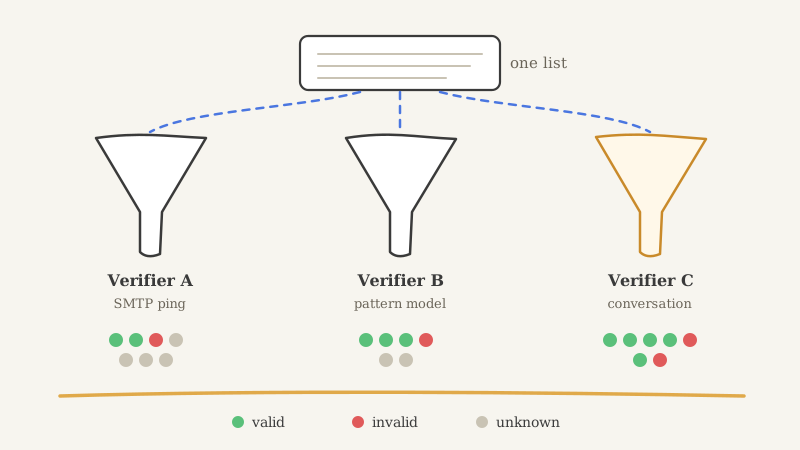
Validate every list before it enters a sequence. A tool like Scrubby checks each address before you send, removing invalid mailboxes and catch-all risks so your bounce rate stays low and your hard-won sender reputation holds. Scrubby is especially useful for the hard-to-verify addresses that other validators give up on and mark as unknown, which are exactly the addresses that quietly inflate bounce rates and waste the capacity you built. Run every list through validation before each campaign, and re-validate aged lists, because contact data decays as people change jobs.
For a deeper look at the reputation side of this equation, our guide to cold email deliverability at scale covers authentication, engagement signals, and the habits that keep mail landing as volume grows.
Do not forget the downstream capacity
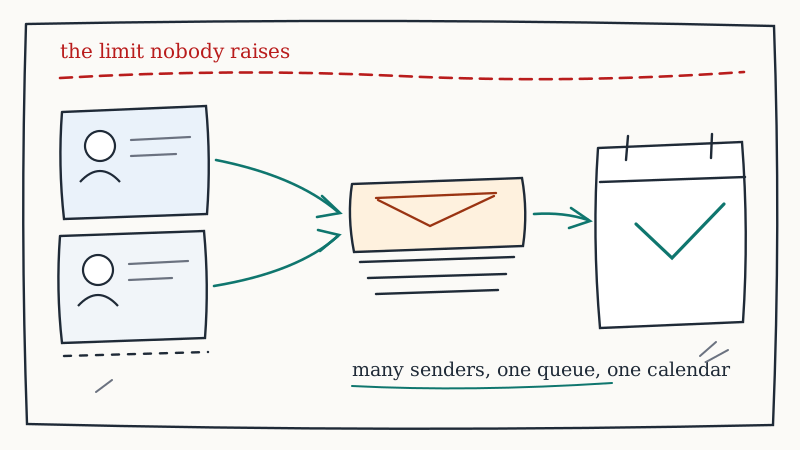
Sizing the send side is only worth it if the meetings actually happen. As you scale to hundreds of sends a day, positive replies arrive faster than a single person can chase them, and slow follow-up quietly leaks the pipeline you paid to generate. The same planning discipline applies to booking: a tool like Kali helps convert interested replies into booked meetings with calendar-driven outreach, so the volume you build on the send side does not stall the moment a prospect says yes.
The takeaway
Cold outbound does not scale by sending harder from the mailboxes you have. It scales by sizing the infrastructure to the target in advance: start from a safe per-inbox daily limit, work your pipeline goal down into a daily send rate, then divide into inboxes and domains. Add weeks of warm-up lead time, keep your lists clean so you do not waste the capacity, and make sure the booking side can absorb the replies. Get that planning right and the volume question stops being a recurring fire drill. If standing all of that up in-house feels like a lot of moving parts, that is exactly the kind of infrastructure an outsourced outbound partner operates as a default.