Cold Email Deliverability: How to Keep Outbound Out of Spam at Scale
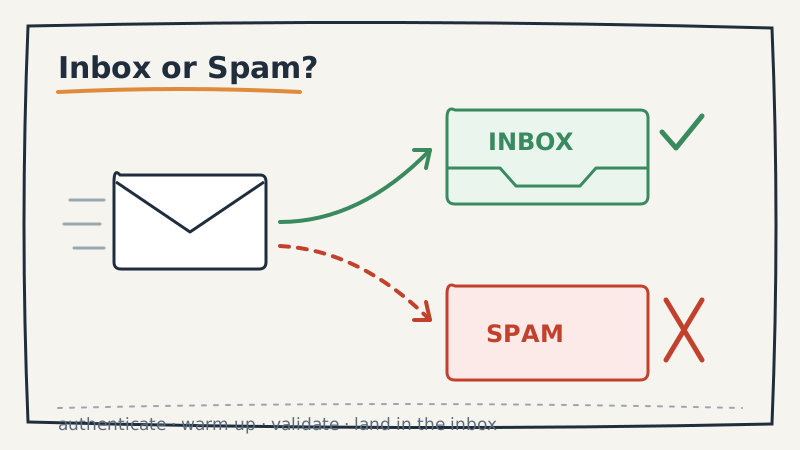
Most teams measure outbound by send volume. They watch the number of emails go out, then wonder why reply rates keep sliding even though activity is up. The uncomfortable answer is usually the same: a growing share of those emails never reached a human. They landed in spam, in the Promotions tab, or in a silent filter that the recipient never opens.
Deliverability is the part of outbound nobody puts on a dashboard, yet it quietly decides whether the rest of your program works. You can have a perfect ICP, sharp copy, and a disciplined cadence, and still get zero meetings if mailbox providers have decided your domain is a risk. This post walks through how inbox placement actually works and what keeps cold email landing as you scale.
Why deliverability gets worse as you scale
Sending more email is the single most common way teams damage their own deliverability. Mailbox providers like Google and Microsoft do not evaluate your message in isolation. They evaluate the reputation of your sending domain and IP, and reputation is built on patterns: how many people open, reply, mark as spam, or never engage.
When you ramp volume quickly, you usually do it by loosening targeting. Broader lists mean more unverified addresses, more disengaged recipients, and more spam complaints. Each of those signals tells the provider your mail is unwanted, and the provider responds by routing more of it to spam. The result is a doom loop: you send more to hit pipeline targets, deliverability drops, so you send even more to compensate, which drops it further.
Scaling outbound the right way means scaling reputation alongside volume, not ahead of it.
The foundation: authentication
Before any clever tactics, get the technical basics right. Three records prove to mailbox providers that you are who you claim to be:
- SPF lists the servers allowed to send on behalf of your domain.
- DKIM cryptographically signs your messages so they cannot be forged in transit.
- DMARC tells providers what to do when a message fails SPF or DKIM, and gives you reporting on who is sending as your domain.
Without all three configured correctly, even legitimate cold email gets treated with suspicion. With them in place, you clear the first filter that providers apply to every inbound message. This is table stakes, and it is the first thing a serious outsourced GTM partner will check before a single email goes out.
Protect your primary domain
Never run cold outbound from your primary corporate domain. If that domain gets flagged, every email your company sends suffers, including invoices, support replies, and internal mail. The standard practice is to register separate sending domains, often close variants of your brand, and route cold outbound through those.
Each sending domain should carry a limited number of mailboxes, and each mailbox should send a modest daily volume. Spreading sends across several domains and mailboxes keeps any single sender’s reputation in safe territory and contains the damage if one domain runs into trouble. Treating this domain and mailbox structure as core infrastructure, rather than an afterthought, is what separates programs that scale from programs that flame out.
Warm up before you scale
A brand new sending domain has no reputation, and a domain that suddenly jumps from zero to thousands of emails a day looks exactly like a spammer. Warm-up is the process of building reputation gradually: start with a small daily volume, send to engaged recipients, and increase slowly over several weeks.
During warm-up, prioritize getting replies and opens from real people. Positive engagement early on tells providers that humans want your mail, which buys you headroom later when you scale. Skipping warm-up is the fastest way to torch a fresh domain before it ever produces a meeting.
Clean your list before every send
This is where most deliverability problems are actually born. Every email you send to a dead, mistyped, or spam-trap address is a direct hit to your reputation. Bounce rates above a couple of percent signal to providers that you are not maintaining your list, and high bounce rates are one of the strongest predictors of getting filtered.
Verifying your list before you send is the highest-leverage deliverability habit there is. A validation tool like Scrubby checks each address before it enters your sequence, removing invalid mailboxes and catch-all risks so your bounce rate stays low and your sender reputation stays intact. Running every list through validation before a campaign is not optional hygiene, it is the difference between a domain that lasts and one that burns out in a month. Scrubby is particularly useful for the hard-to-verify addresses that other tools skip and mark as unknown, which are exactly the ones that quietly inflate your bounce rate.
List hygiene is not a one-time task. Data decays constantly as people change jobs, so a list that was clean three months ago is not clean today. Re-validate before each major send.
Watch the signals recipients send back
Mailbox providers care most about how recipients react to your mail. A few behaviors carry outsized weight:
- Spam complaints are the most damaging signal of all. Even a small complaint rate tells providers your mail is unwanted. Tight targeting and an easy opt-out keep complaints near zero.
- Engagement in the form of opens and especially replies builds reputation. Sending to people who actually fit your offer produces engagement naturally.
- Deletes without opening are a soft negative signal at scale. They usually point to weak targeting or stale subject lines.
The throughline is that deliverability and targeting are the same problem. Good targeting produces engagement, engagement builds reputation, and reputation gets you into the inbox. Sloppy targeting produces complaints, complaints destroy reputation, and destroyed reputation puts you in spam. You cannot tactic your way around a bad list.
Make the conversion path frictionless
Deliverability gets your message seen, but the goal is a booked meeting. Once a prospect replies with interest, every extra step is a chance to lose them. Long back-and-forth threads to find a time are where warm replies go cold. Tools like Kali let you send a calendar invite directly into the conversation so an interested prospect can confirm a slot in one click, which protects the momentum your deliverability work created. The faster you turn a reply into a confirmed meeting, the more pipeline your hard-won inbox placement actually produces.
Treat deliverability as ongoing infrastructure
Deliverability is not a setup task you complete once. It is a system you monitor and maintain: authentication records, domain and mailbox structure, warm-up schedules, list validation, and engagement monitoring all need ongoing attention. Reputation can take weeks to build and a single bad campaign to lose.
This is one of the strongest arguments for running outbound through a partner whose whole job is to maintain this infrastructure. A team that manages sending domains, validation, and reputation across many campaigns has both the tooling and the scar tissue to keep mail landing. If you want to understand what that operational layer looks like, Vendisys runs outbound as managed infrastructure so your messages reach the inbox without your team babysitting DNS records and bounce rates.
The bottom line
Volume is a vanity metric if your mail does not reach the inbox. Before you push more email out the door, make sure the foundation can carry it: authenticate your domains, isolate sending from your primary domain, warm up gradually, validate every list, and watch the signals recipients send back. Get those right, and added volume turns into added pipeline. Skip them, and you are just sending more email into the spam folder.