Why Your SDR Tech Stack Has Too Many Integrations and How to Fix It
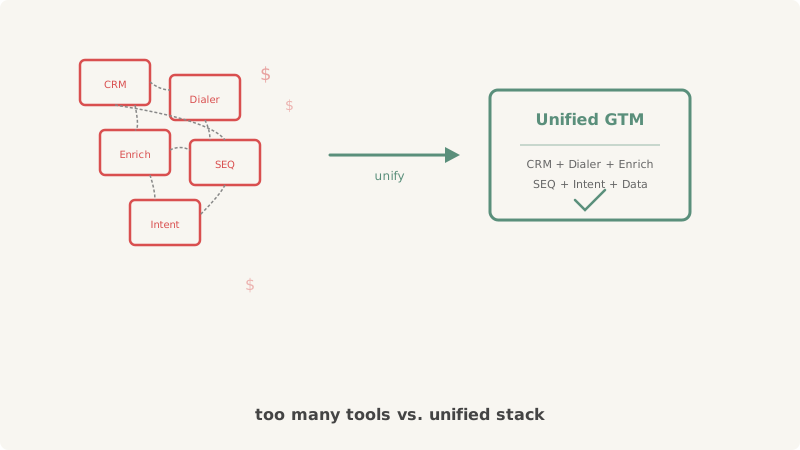
Open the average SDR team’s tool inventory and count the logos. CRM. Sequencer. Dialer. Email finder. Data enrichment provider. Intent data platform. Calendar scheduler. LinkedIn automation. Email warm-up service. Deliverability monitor. Maybe a conversation intelligence tool on top.
That is 10 or 11 separate subscriptions, each with its own login, its own data model, its own API quirks, and its own monthly invoice. They are connected by a web of Zapier automations, native integrations, and manual CSV exports that someone set up 18 months ago and nobody fully understands.
This is not a tech stack. It is a liability.
The Real Cost of Integration Sprawl
The obvious cost is financial. A mid-market SDR team of five reps can easily spend $3,000 to $5,000 per month across their tool subscriptions. But the financial cost is the smallest problem.
Data Fragmentation
Every tool in the stack holds a slightly different version of reality. The CRM says a contact was last emailed on March 3. The sequencer says March 7. The enrichment tool has a different job title than what the rep manually updated in the CRM. The intent data platform flags a company as showing buying signals, but that signal never reaches the sequencer because the integration broke two weeks ago and nobody noticed.
When data lives in multiple systems, no single system is authoritative. Reps lose trust in the data, start keeping their own spreadsheets, and the entire operation degrades into parallel workflows that contradict each other.
Integration Maintenance Tax
Every integration between two tools is a maintenance obligation. APIs change. OAuth tokens expire. Zapier automations hit rate limits. Field mappings break when either tool updates its schema. Someone on the team (usually the RevOps lead or a technical SDR) becomes the unofficial “integration janitor,” spending hours each week debugging broken syncs instead of building pipeline.
The more tools you add, the more integration surface area you create. Five tools connected in a mesh have up to 10 integration points. Ten tools have up to 45. Each one is a potential failure mode.
Onboarding Friction
Every new SDR who joins the team needs to learn not just how to sell, but how to operate a dozen different tools and understand which data goes where. Onboarding takes weeks instead of days. Reps make mistakes because the workflow is too complex to hold in memory. They skip steps, forget to log activities, or use the wrong tool for the wrong task.
Why Teams End Up Here
Nobody plans a 10-tool stack. It builds up gradually, one “best-of-breed” purchase at a time.
The CRM comes first. Then someone needs a sequencer because the CRM’s built-in email tools are limited. Then the sequencer needs enriched data, so an enrichment provider gets added. Then the team wants to call prospects, so a dialer gets bolted on. Then someone reads about intent data and adds a sixth tool. Each purchase makes sense in isolation. In aggregate, the complexity compounds.
The best-of-breed philosophy sounds right: pick the best tool for each function. But it ignores the integration cost. A tool that is 90% as good as the best-of-breed option but natively integrated with five other functions often delivers more value in practice, because the data flows cleanly and the workflow does not break.
What Consolidation Actually Looks Like
Consolidating your SDR tech stack does not mean going back to one tool that does everything poorly. It means identifying the 3 to 4 core functions that must work together seamlessly and finding platforms that unify them.
The Core Functions
Every SDR workflow has the same basic flow:
- Identify the right accounts and contacts (enrichment, intent data)
- Engage through sequences across channels (email, phone, LinkedIn, calendar)
- Validate data quality before sending (email verification, list cleaning)
- Track activities and outcomes in a system of record (CRM)
The biggest gains come from unifying the engagement layer. Instead of running a separate sequencer, dialer, LinkedIn tool, and calendar scheduler, use a platform that handles multi-channel outreach natively. Vendisys was designed for exactly this: a unified GTM infrastructure where enrichment, sequencing, calling, and scheduling live in one system with a single data model.
Where Specialized Tools Still Make Sense
Not everything should be consolidated. Some functions are genuinely better served by specialized tools:
Email validation: Before any list enters your engagement workflow, it needs to pass through validation. Standard verification catches invalid addresses, but catch-all domains (which represent 25-40% of B2B contacts) require specialized processing. Scrubby handles this layer specifically, validating catch-all addresses that standard tools cannot process. This is a pre-processing step that runs before data enters your sequencing platform, so it does not create ongoing integration complexity.
Competitive intelligence: Knowing what your competitors are doing informs positioning and messaging, but it operates on a different cadence than daily prospecting. Tools like CAM monitor competitor activity and surface actionable intelligence without needing to live inside the engagement workflow.
The key distinction: specialized tools that process data before it enters your core stack (validation) or provide strategic intelligence on a different cadence (competitive monitoring) are fine. The problem is having five different tools that all touch the same daily prospecting workflow and need to stay in sync.
How to Audit Your Current Stack
Before you consolidate, audit what you have. For each tool in your stack, answer three questions:
- Does this tool hold unique data that no other tool has? If two tools hold overlapping data, one of them is redundant and creating a reconciliation problem.
- How many integrations does this tool participate in? Tools with three or more integrations are high-risk failure points.
- What happens if this tool goes down for 24 hours? If the answer is “reps cannot do their jobs,” the tool is critical. If the answer is “nobody would notice,” it might be dispensable.
Map the data flow between tools. Identify where data is duplicated, where syncs are breaking, and where manual steps bridge gaps between systems. The places where reps resort to manual workarounds are exactly where integration is failing.
The Migration Path
Consolidation does not happen overnight. Here is a realistic sequence:
Phase 1: Unify Engagement (Weeks 1-4)
Replace separate sequencer, dialer, and LinkedIn tools with a unified engagement platform. This is the highest-impact change because it eliminates the most integration points and gives reps a single interface for daily work.
Phase 2: Streamline Data Flow (Weeks 4-8)
Reduce enrichment to one provider. Set up a clean data pipeline: enrichment flows into the unified platform, validated contacts move to sequences, activities sync back to the CRM. Eliminate intermediate tools that exist only to move data between other tools.
Phase 3: Clean Up (Weeks 8-12)
Cancel subscriptions for tools you have replaced. Remove Zapier automations that are no longer needed. Document the new workflow so that onboarding a new rep takes days, not weeks.
The Outcome
Teams that consolidate from 8-10 tools to 3-4 typically see:
- 40-60% reduction in monthly tooling costs
- 70% fewer integration failures per month
- 50% faster new-rep onboarding
- Cleaner data with one source of truth for contact and activity information
The goal is not fewer tools for the sake of minimalism. It is fewer tools for the sake of reliability, data quality, and operational speed. Every integration you remove is a failure mode you eliminate. Every tool you consolidate is a data reconciliation problem you solve.
Your SDR team’s output is bounded by how smoothly data flows through the system. Fix the plumbing, and the pipeline follows.