
Every year, somewhere between Q1 and Q2, renewal notices start trickling in. Your outbound data provider wants $18K. Your sequencing tool is up for a $12K renewal. Your CRM add-ons, enrichment tools, deliverability monitors, and intent data subscriptions all stack up. By the time you total the invoices, you are looking at $50K to $150K in annual outbound tooling costs, and most teams have no idea whether that spend is actually producing pipeline.
This is the guide you need before you sign anything. A structured, layer-by-layer audit of your outbound tech stack that helps you identify waste, find overlap, and make smarter renewal decisions.
Why Most Teams Skip the Audit (And Pay for It)
The most common reason teams skip a proper audit is inertia. The tool is already integrated. People know how to use it. Switching costs feel high. But here is what inertia actually costs you:
- Redundant tools doing the same job, sometimes three or four deep
- Seat licenses for people who left the company months ago
- Premium tiers you upgraded to for one feature you used once
- Data providers whose accuracy has degraded but nobody has checked
- Integrations that broke silently and nobody noticed
A proper audit takes two to three days of focused work. The savings typically run 20% to 40% of total stack spend. On a $100K annual outbound budget, that is $20K to $40K back in your pocket, or reallocated to tools that actually move pipeline.
The Five-Layer Outbound Stack Audit Framework
Your outbound stack is not one thing. It is five interconnected layers, and each one needs its own evaluation criteria. Here is how to break it down.
Layer 1: Data and Enrichment
This is where most of the bloat lives. Over time, teams accumulate multiple data providers because each one was “the best” at something specific. One has better mobile numbers. Another has stronger European coverage. A third was purchased by a different team and nobody consolidated.
What to audit:
- How many data providers are you paying for?
- What is the overlap in coverage between them?
- When was the last time you tested data accuracy? Pull 200 random contacts and verify emails, phone numbers, and titles.
- Are you paying for global coverage but only selling domestically?
- Do you have enrichment tools running that duplicate what your CRM already does natively?
Key test: Pull your last 90 days of outbound activity. How many contacts came from each data source? If a provider contributed less than 10% of your active prospecting, it is a candidate for elimination.
Action items:
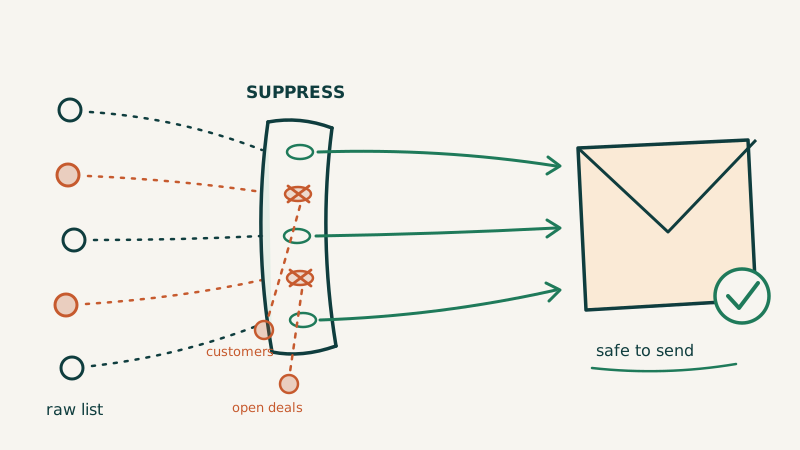
Run a deliverability check on a sample from each provider. Tools like Scrubby can validate your email lists and flag risky addresses before they damage your sender reputation. If one provider consistently delivers lower-quality contact data, that tells you everything you need to know about the renewal conversation.
Layer 2: Sequencing and Outreach Execution
This layer covers the tools that actually send your emails, manage your sequences, and handle your multichannel cadences. Common culprits here include paying for enterprise tiers you do not need, running multiple sequencing tools across teams, and carrying licenses for reps who are no longer active.
What to audit:
- How many active users versus total licensed seats?
- Are multiple teams running different sequencing tools for the same function?
- What is your actual send volume versus your plan limits?
- Are you using the advanced features (A/B testing, conditional logic, AI writing) that justify premium pricing?
- What is your average reply rate by sequence? If sequences are underperforming, the problem might not be the tool.
Key test: Export your sequence performance data for the last six months. Sort by reply rate and meeting conversion. Kill any sequence with under a 1% reply rate (after sufficient volume). Then ask: does this tool make it easy to iterate, or is your team just copying the same underperforming templates?
Consolidation opportunity: Many teams run separate tools for email sequences and LinkedIn outreach. Modern platforms handle both in a single workflow. If you are paying for two tools when one would cover it, that is an easy win.
Layer 3: Deliverability and Email Infrastructure
This is the layer teams most often ignore, and it is the one that can silently destroy your entire outbound program. Poor deliverability means your emails never reach the inbox, and all the money you spent on data, sequencing, and content is wasted.
What to audit:
- What are your current bounce rates by sending domain?
- Are you monitoring inbox placement or just open rates?
- How many sending domains are you managing, and what is the reputation of each?
- Are you warming new domains properly before full-volume sends?
- Do you have SPF, DKIM, and DMARC properly configured on every sending domain?
Key test: Send test emails from each of your active domains to seed accounts across Gmail, Outlook, and Yahoo. Check inbox placement, not just delivery. A tool can report “delivered” when the email lands in spam.
Where to focus: Email validation is not optional. Running your lists through a verification service before every campaign catches invalid addresses, spam traps, and catch-all domains that inflate your bounce rate. Scrubby specializes in handling risky and catch-all emails that other validators mark as “unknown,” giving you a cleaner, more actionable list.
Additionally, look at your sending infrastructure. If you are warming domains manually or guessing at volume ramps, you are leaving deliverability on the table. Purpose-built warmup and reputation tools like Kali can automate domain warmup schedules and protect sender reputation across your entire sending infrastructure, saving your ops team hours of manual monitoring every week.
Layer 4: CRM and Pipeline Management
Your CRM is the system of record, but it is also where hidden costs accumulate. Extra seats, premium integrations, add-on modules, and third-party apps that plug into your CRM all contribute to bloat.
What to audit:
- How many CRM seats are active versus actually used weekly?
- What third-party apps are installed, and which ones still work?
- Are you paying for CRM features that duplicate what your sequencing tool already does?
- How clean is your data? Duplicate records, outdated contacts, and missing fields all cost you in wasted rep time.
- What reporting do you actually use versus what you are paying for?
Key test: Pull a login report for the last 30 days. Any seat that has not logged in should be flagged. Then audit your installed apps. Most CRM marketplaces make it easy to see which integrations are active, but teams rarely check after the initial install.
Data hygiene matters: Your CRM is only as good as the data inside it. If reps are spending 30 minutes a day cleaning up records, that is a process problem, not a people problem. Automating contact enrichment and deduplication can recover hours of selling time per rep per week. CAM helps revenue teams keep their contact and account data accurate and up to date across your CRM, reducing the manual cleanup that drains rep productivity.
Layer 5: Analytics, Intent Data, and Orchestration
This is the strategy layer: the tools that tell you who to target, when to reach out, and how your campaigns are performing. It is also the layer where shelfware is most common because these tools often get purchased by leadership but adopted inconsistently by the team.
What to audit:
- Is your intent data actually influencing account prioritization, or is it sitting in a dashboard nobody checks?
- Are analytics tools integrated into your workflow, or do they require manual exports?
- How many dashboards do you have? Are they telling you anything actionable?
- Is your orchestration layer (if you have one) actually coordinating across channels, or is it just another sequencing tool with a fancier label?
Key test: Ask three reps how they decide who to prospect each morning. If nobody mentions intent data or analytics, you are paying for tools that are not embedded in the workflow.
Orchestration reality check: True orchestration means your data, sequences, deliverability, and CRM are all working together without manual stitching. If your team is exporting CSVs between tools, copy-pasting between tabs, or maintaining spreadsheets to track what is happening across platforms, you do not have orchestration. You have a collection of disconnected tools. A platform like Vendisys can tie your outbound stack into a unified GTM workflow, eliminating the manual data wrangling that slows teams down and introduces errors.
The Renewal Decision Matrix
Once you have audited each layer, score every tool on four dimensions:
1. Usage (0-10): What percentage of licensed seats or capacity are actively used? A tool at 30% utilization scores a 3.
2. Impact (0-10): Can you directly tie this tool to pipeline or revenue? If removing it would not change your pipeline numbers, it scores low.
3. Overlap (0-10, inverted): Does this tool duplicate functionality available in another tool you are keeping? High overlap means a low score.
4. Switching Cost (0-10): How painful would migration be? Consider data portability, integration dependencies, and team retraining. High switching cost scores high (meaning you factor it into the decision, not that it automatically saves the tool).
Score each tool and rank them. Anything below a combined score of 20 out of 40 is a strong candidate for elimination or downgrade. Between 20 and 30, negotiate hard on pricing. Above 30, renew with confidence.
How to Run the Actual Negotiation
Armed with your audit data, here is how to approach each renewal:
For tools you are cutting: Give notice early. Most contracts have 30- to 60-day cancellation windows. Missing the window means you are locked in for another year. Set calendar reminders 90 days before every renewal date.
For tools you are keeping but want better pricing:
- Lead with usage data. “We are using 40% of our licensed capacity” is a powerful negotiating position.
- Ask for a right-sized plan before asking for a discount. Dropping from 50 seats to 25 seats often saves more than a 15% discount on 50 seats.
- Request quarterly or monthly billing even on annual contracts. This gives you exit flexibility.
- Ask about bundling. Vendors will often discount if you consolidate multiple products with them.
For tools you are replacing: Start the migration 60 days before the renewal date. Run parallel systems for 30 days to validate the replacement. Cancel with 30 days to spare.
Building Your Renewal Calendar
After the audit, build a simple renewal calendar that prevents this from becoming an annual fire drill:
- List every tool, its renewal date, annual cost, and contract terms
- Set alerts for 90 days, 60 days, and 30 days before each renewal
- Assign an owner for each tool renewal (usually RevOps or Sales Ops)
- Schedule quarterly mini-audits focused on usage data only
- Review the full stack annually using this framework
The Hidden Cost Nobody Talks About
Beyond the direct subscription costs, there is a hidden tax on your team: context switching. Every tool in your stack requires a login, a workflow, a mental model. Research from RingDNA found that sales reps use an average of 10 tools per day, and each tool switch costs 2 to 5 minutes of refocusing time. On a team of 10 reps, that is 100 to 500 minutes of lost selling time every single day.
Reducing your stack from 10 tools to 6 does not just save subscription costs. It saves hundreds of hours of rep time per quarter. That is time that goes directly into pipeline-generating activity.
A Practical 10-Day Audit Timeline
Days 1-2: Inventory every tool in your outbound stack. Pull costs, contract dates, and seat counts. Export usage reports from each platform.
Days 3-4: Run the Layer 1 and Layer 2 audits. Test data accuracy. Pull sequence performance metrics. Flag unused seats.
Days 5-6: Run the Layer 3 and Layer 4 audits. Test deliverability. Audit CRM integrations. Pull login reports.
Days 7-8: Run the Layer 5 audit. Interview three to five reps about their daily workflow. Map the actual tool usage against what you are paying for.
Day 9: Score every tool using the Renewal Decision Matrix. Build your renewal calendar.
Day 10: Present findings to leadership with clear recommendations: renew, renegotiate, replace, or eliminate for each tool.
What a Healthy Outbound Stack Looks Like
After the audit, a well-optimized outbound stack typically has:
- One primary data provider (with a secondary for gap coverage only if needed)
- One sequencing platform that handles email and LinkedIn
- A dedicated deliverability and email validation layer
- One CRM with minimal third-party add-ons
- An orchestration or analytics layer that integrates natively with the above
That is five to six tools, not twelve. The total cost should be proportional to your outbound-sourced pipeline. A good benchmark: your outbound tooling should cost no more than 5% to 8% of the pipeline value it generates. If you are spending $100K on tools that generate $500K in pipeline, your ratio is 20%, and you need to either cut costs or improve output.
Start Before the Renewal Lands
The worst time to audit your tech stack is the week your renewal hits. By then, your leverage is gone, your migration window is closed, and inertia wins again.
Block two days this month. Pull the data. Run the audit. Your future self, and your budget, will thank you.
Tools like Underfive can help you prioritize which parts of your GTM workflow need the most attention, so you spend your audit time where it will have the biggest revenue impact.
The companies that win at outbound are not the ones with the most tools. They are the ones with the right tools, properly configured, fully adopted, and ruthlessly audited every year.